
Record the condition
Exact model, visible damage, reported symptoms and previous work. Keep these observations separate from a suspected cause.
Refurbishing & screen repairs
A cracked screen is visible.
The complete picture takes more detail.
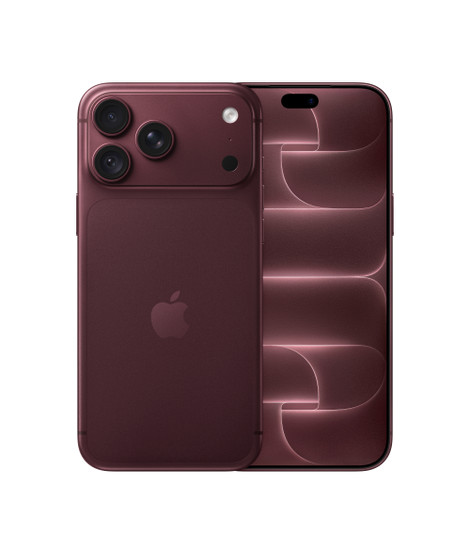
Burgundy iPhone 18 Pro Max. Product imagery: Apple.
Device symptom guide
Choose the closest symptom. Use the prompts to describe the issue clearly without assuming a diagnosis.
Describe the crack or chip location, when it happened and whether the frame is bent. Then note whether the image and touch still work normally.
Lines, dark areas, flickering and colour changes can occur with or without visible glass damage. Describe exactly what appears and whether it changes.
Note whether one area or the entire screen is affected, and whether the phone registers unintended touches. State whether the display image appears normal.
Record what the device does without repeatedly testing a damaged phone. A ring, vibration or charging indication can be useful context; it does not establish the fault.
A complete repair discussion
A screen is more than its image. Touch, brightness, colour and model-specific features belong in the conversation too.
Before proceeding, confirm the proposed part type and compatibility, required configuration or calibration, the functions to be checked and any limitations. Previous repairs and damage can affect the work.
Discuss a repairBefore an agreed handover
Exact model, visible damage, reported symptoms and previous work. Keep these observations separate from a suspected cause.
Discuss preparation before handing over a device. Keep passwords, passcodes and payment information out of an email enquiry.
Review parts, proposed work, testing, timing, cost and applicable terms directly before you proceed.
Manufacturer context: Apple on replacement displays and feature considerations. Model-specific review is still required.
Useful answers
Find the details that matter to your device or business.
No. A blank screen is a symptom, not a confirmed diagnosis. Share whether the phone rings, vibrates, charges, shows an image intermittently or responds to touch. The cause and repair scope require assessment.
Describe which area is affected, whether the issue is constant or intermittent, and whether there was impact, liquid exposure or a previous repair. Keep display output and touch response as separate observations.
Ask about the proposed part type, compatibility, calibration or configuration requirements, expected functions and any limitations. Do not assume every replacement provides the same brightness, colour, touch behaviour or feature support.
Do not include passcodes, account passwords, payment information or other secrets in the enquiry. Discuss any access or account preparation directly. Back up important information before an agreed handover.
Existing damage, prior repairs and the model affect what can be confirmed. Review testing, feature support and applicable terms before proceeding.
No matching questions. Try another phrase or view all questions.
Start with the details
Exact model. Current condition. Your requirements.